I’ve wasted way too many late nights this year fucking around with image-to-video, trying to get clips that don’t look like some broken PowerPoint animation.
Early 2026 promised smooth motion, decent physics, longer clips.
What I actually got? A lot of stuttering loops, faces that slid off-screen, fabric that moved like cardboard, and clips that repeated every 8 seconds like a broken record.
The tech did improve. Not revolutionary, but enough that some setups are now worth the hassle. Here’s the real talk from late 2026 plus why the prompt is still the only thing that decides if you get something good or something you delete immediately.
What’s Actually Better This Year in Image to Video (img2vid)
Motion is smoother across the board.
Hair sways, skin breathes, breasts move naturally instead of bouncing like rubber balls.
Clips now go 15–45 seconds on the better tools (up from 5–10s last year).
Lip-sync holds if the mouth is visible.
Physics (fabric, hair, body jiggle) look less fake when the prompt is right.
But it’s still limited.
Most clips max out at 30 seconds.
Complex movements (fast sex, group action) break limbs glitch, faces warp, motion stutters.
Censorship on the big mainstream models is a fucking pain now.
You can’t just say what you want you have to tiptoe around the words, water everything down, or it gets shut down before it even starts.
The Technical Parts That Make or Break Image to Video in 2026
To get from a still image to a usable clip (still to motion, photo to video AI), these are the things that matter right now:
Source Image Quality
You need high-res input (at least 1024×1024, better 2048+).
Good lighting, clear face/body, no heavy compression.
Low-res source = blurry output, warped motion, lost details.
I learned this the hard way used a phone selfie once and the clip looked like it was shot through fog.
Motion Description in Prompt
You can’t just say “make it move.”
You have to spell out speed, direction, intensity:
“slow seductive sway, 20 seconds”
“gentle breathing, subtle hip roll, natural breast movement”
“slow striptease, hands sliding down sides, fabric fall, 30fps seamless loop”
Physics and Weighting
Add cues like:
“realistic physics:1.2”
“natural skin jiggle, cloth simulation, hair flow”
“no jerky motion, no stuttering”
Negatives (Non-Negotiable)
“–blurry motion, deformed limbs, extra fingers, low fps, desync, artifacts, warp, low quality, fast cut”
Style Consistency & Loop Cues
If the source is realistic, add “photorealistic motion, cinematic lighting, seamless loop”.
If anime/hentai, add “hentai style animation, smooth lines, vibrant colors, seamless loop”.
Without these, the video looks like a slideshow with random jitter.
With them, you get something that actually feels like motion from image done right.
How My Prompt Generator Turns Image to Video From Trash to Usable
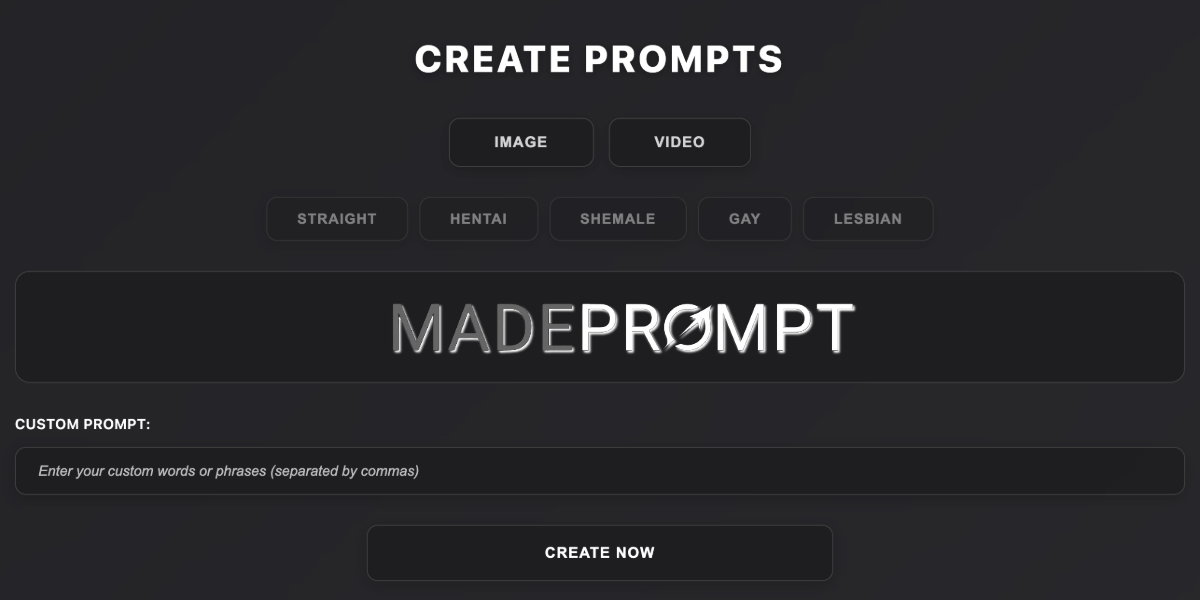
I built MadePrompt exactly for this.
Pick category: IMAGE → VIDEO.
Upload/link your still image.
Describe motion (“slow tease, natural sway, 25 seconds”), style, kink, mood.
It spits out a full prompt with:
motion descriptors (“slow striptease, gentle breathing, hip roll”)
physics weights (“realistic physics:1.3”, “breast bounce:1.2”)
fps and loop cues (“30fps, seamless loop”)
negatives for common glitches (“–jerky motion, blur, desync, warp”)
consistency locks for face/body (“face consistency:1.4”, “same character throughout”)
Example output you can copy-paste:
“From this image: slow seductive striptease, 25 seconds, realistic, bedroom soft light, natural skin movement, detailed expressions, seamless loop, photorealistic, (realistic physics:1.3), (breast bounce:1.2), (hair sway:1.1), 30fps, cinematic lighting –blurry motion, jerky, deformed limbs, low quality, artifacts, desync”
Paste into your img2vid tool.
Result? Loops that don’t embarrass you. Faces stay on. Motion feels human. Glitches drop 70–80%.
It’s free. No login. No limits.
Look, whenever I’m messing with image to animation or turning a photo into video AI, I always start here.
It kills the bullshit and gets me straight to the shit that actually works.
Clips are still short. 30–60 seconds max on top tools. No 3-minute scenes yet.
Complex motion breaks. Group sex, fast thrusting, multiple angles faces warp, limbs disappear, physics go haywire.
Censorship is worse. Mainstream models (Kling, Luma, Runway) block anything explicit unless you sneak past with soft language.
Price for good quality is high. Unlimited HD/4K + long clips = $20–40/mo on most.
Audio is weak. Lip-sync exists, but voice often sounds robotic or desynced.
Bottom Line for Image to Video AI in 2026
The jump from still to motion is real.
Clips are longer, physics are better, faces hold more often.
But it’s still short, glitchy on anything complicated, censored on big names, and expensive for usable quality.
The tools got better.
The game didn’t change.
Pick your weapon, accept the limits, and let a good prompt do the heavy lifting.
That’s when it stops being “AI video” and starts feeling like your own private reel.
My generator on MadePrompt is the thing I use to bridge the gap.
It’s free, instant, and tuned exactly for this family of tools: image to video, img2vid, still to motion, photo to clip, erotic animation from photo, NSFW motion AI, video from image, loop video AI.
Try it. Paste your image link, describe the motion, and see what happens.
It won’t make the tools perfect.
But it’ll make them a hell of a lot closer.